
If you have edited a user's Account Settings before, you will have noticed there are two Analytics settings.
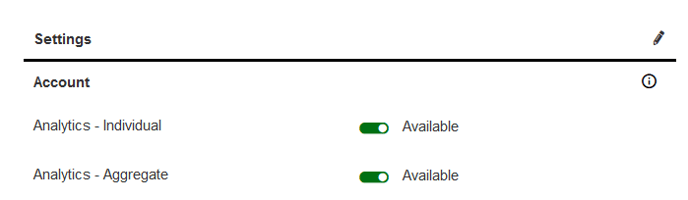
These two settings control when a user's data should be included in Analytics results, if at all.
Individual Data
Individual data is any data that can be tied to personally identifiable information (PII). Most sources in Analytics fall under this category since the primary use of Analytics is pulling reports on user data.
The Analytics - Individual account setting is required in order for an account's data to appear in query results.
Most of the time you will want to include the Demographics source when running a query that includes Individual Data. The Demographics source is where you select which PII points to include in the query, including Name, Email, Username, Location, etc.
Example
You are running a query to view step records over the last 30 days.
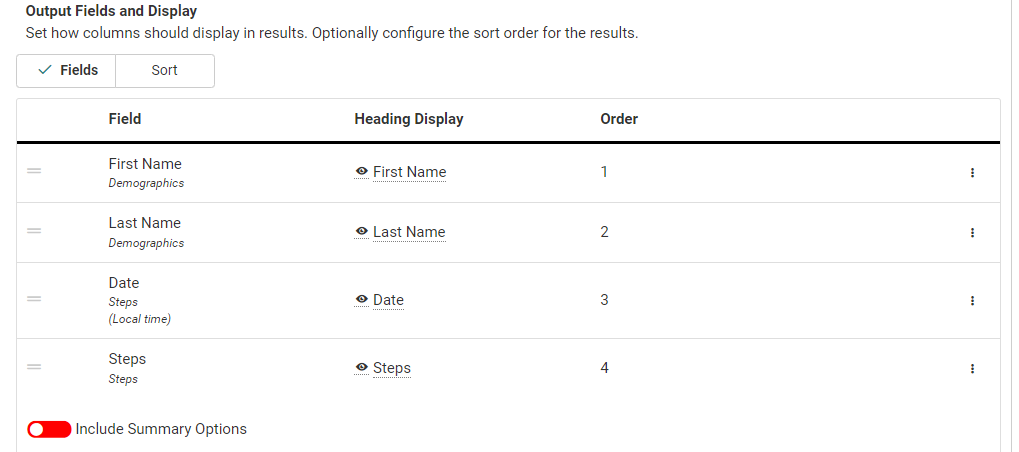
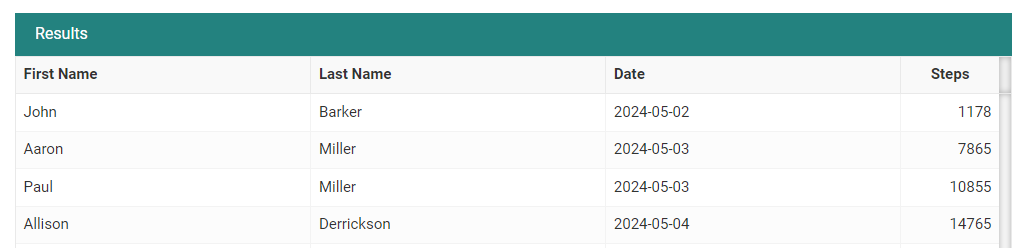
The Steps source is used in tandem with the Demographics source so the records can be associated with specific users.
Note
Whether you include the Demographics source or not, data sources that are associated with specific accounts are still considered Individual Data.
Example
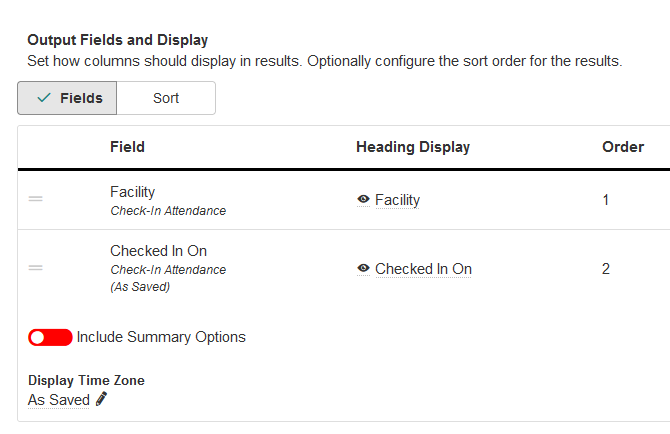
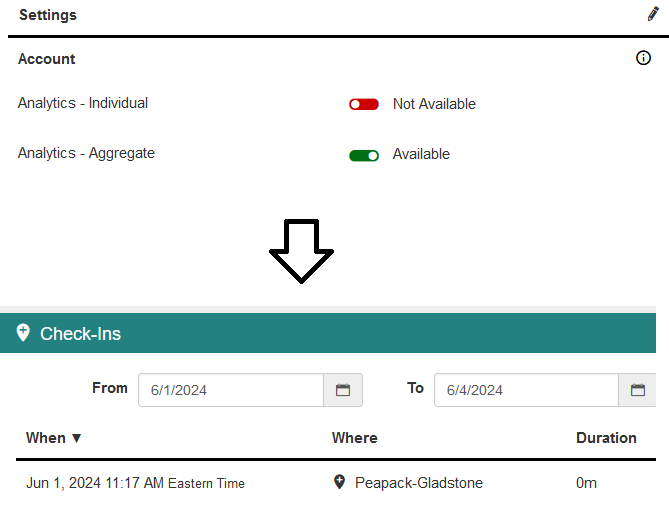
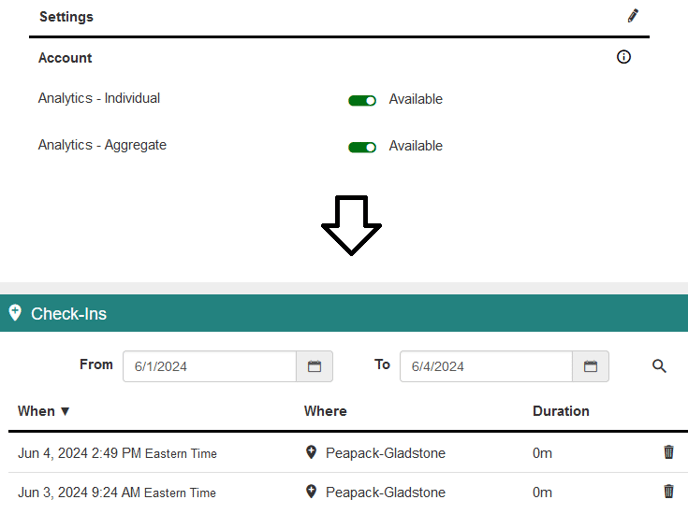
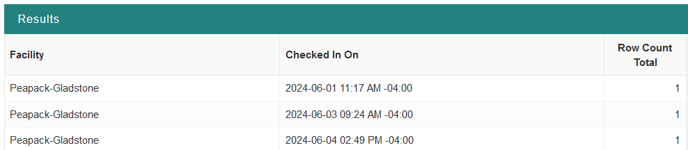
You are running a Check-In Attendance query to find check-in records at each facility with time stamps for each record, but do not want to include the Demographics source.
User 1:
User 2:
Even though you are not associating Demographics fields with the query, this connection is still implied- you are just hiding the Demographics part of the record.
When you run this query you will only receive data from accounts that have the Analytics - Individual setting enabled.
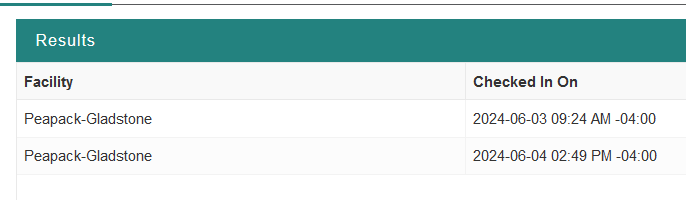
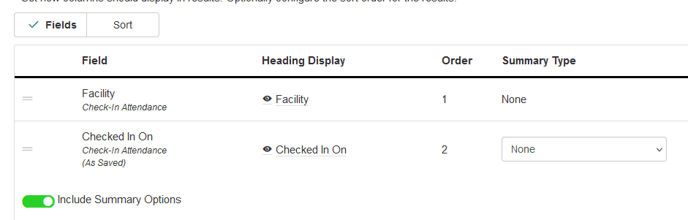
If you want to include data from accounts that only have the Analytics - Aggregate setting, you will need to select Include Account Settings on the Fields page. This summarizes the check-in data and removes the PII association from the records, meaning accounts that have the Analytics - Aggregate setting can be factored into the results.
Aggregate Data
Aggregate data is the summation of the same data across multiple records. This can be for a single user or multiple users, but what separates it from Individual data is that the data is not directly related to PII.
Due to the disconnect from PII, users who have only the Analytics - Aggregate account setting are only included in queries and reports that return aggregate data.
Example
On the Reports tab, you are running the Busy Hour Analysis report.
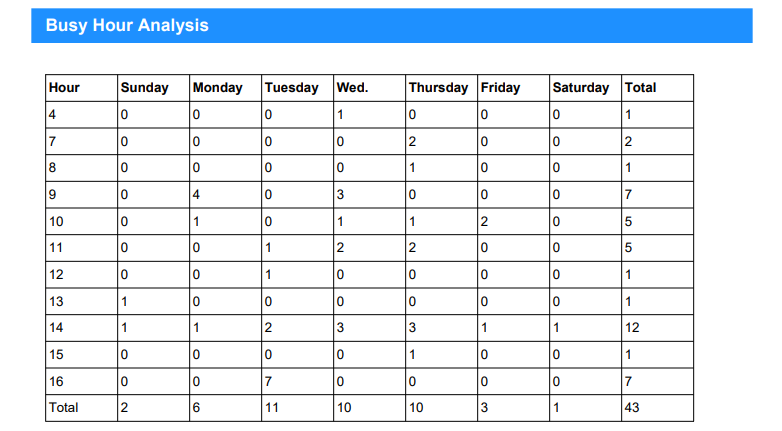
Since the data returned in this report is not associated with PII, accounts with the Analytics - Aggregate account setting are included in the results.