If you have the Configurations staff permission, there is a Config page called Participant Workflow Update. This page allows you to re-prompt members in a selected population for a specific feature.
Note: Any changes made from this page are permanent and cannot be reversed. If you are unsure of what to do, please consult your account manager for assistance.
Some scenarios where it is appropriate to use this page include:
- The language for the Consent form has been updated and any members that signed the previous iteration of the form should be required to sign the new form.
- Members with a recent Wellness Profile completion can be prompted to retake the questionnaire for a new program year.
- The contents of the Additional Electronic Form have been updated and any members that signed the previous version should be prompted to sign the new content.
The first selection you need to make is the Workflow you wish to reset. Only one workflow type can be reset at a time.
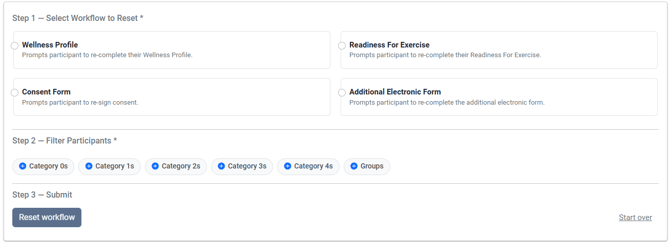
Consent and Readiness For Exercise will always be available on this page. Wellness Profile and Additional Electronic Form are dependent on your site's license.
The second step on the page has you select the Population that should be reset. If you are looking to reset the workflow for all members you have access to, you can select all of the options for Locations.
You need a selection from at least one category to satisfy the population requirement. You are able to use multiple category selections to limit the population further.
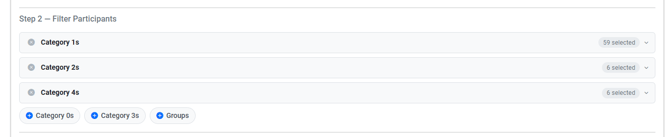
Example
Locations- Califon and New York
Employee Types- Full Time, Part Time
Group- Completed Wellness Profile
Only members that match one of the selections for all three of the above categories will be affected by the update.
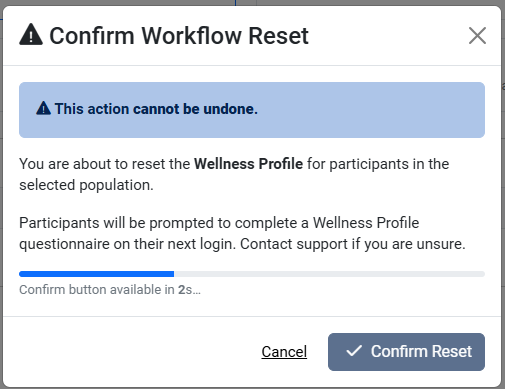
Once you have selected the workflow type and population, the Reset workflow button will become available. As an extra security measure, there is one final pop-up that outlines the irreversible changes you are trying to make. There is a 3-second countdown before the Confirm Reset button is available.
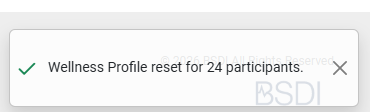
You will receive a confirmation message in the bottom right corner of the screen after clicking Confirm Reset that tells you how many accounts were affected by the update.