On the Check-In page in the staff interface there is a tab called Equipment Areas.
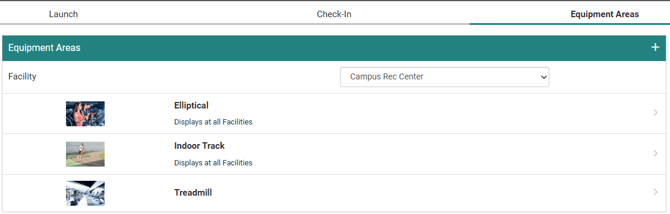
An equipment area is used to represent a piece of equipment, or area of equipment, at one or more of your check-in facilities. Some common examples include Treadmills, Pool, or various sports equipment.
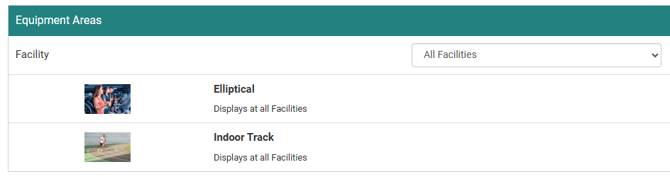
You will see the existing Equipment Areas, if any exist, listed on the Equipment Areas tab for the selected facility. If the equipment is available at all facilities on your site (when more than one facility exists), this is denoted under the equipment name. You can also select "All Facilities" from the drop down menu to view equipment that is available at every facility.
You can select the plus icon to begin creating a new equipment area. Here are all of the fields you will need to fill out:
-
The Title is what the equipment area is called.
- The Intensity is an estimate between 1 and 10 of how intensive activities involving this equipment will be. You can also set "Not applicable" for this menu.
- Intensity is used when the facility has the Count As Workout setting turned on.
- Select an image from the library to represent the equipment area.
- Check-In Availability lets you decide if the equipment area is offered at Kiosk and Virtual Check-Ins, or only one or the other.
- Facilities where this Equipment Area is used is where you select which facility (or facilities) this equipment is available at.
- If you select all of the facilities, you can also add the "All current and future Facilities" option to automatically adhere this equipment to any facility created in the future.
- Note: You can also update an equipment area's availability on the Facilities page under Equipment Areas -Quick Edit per facility.
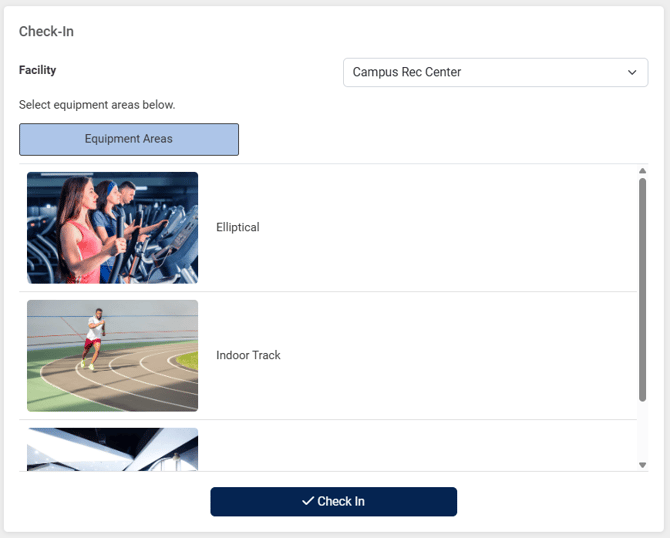
Kiosk Check-In Example
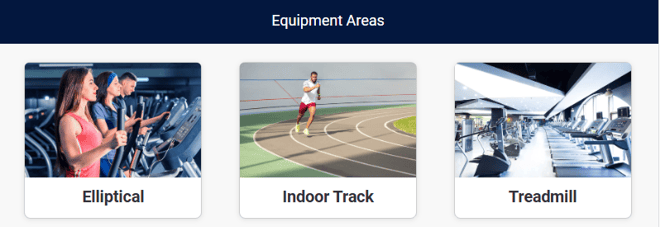
Virtual Check-In Example
On the Templates tab in Analytics there is an Equipment/Area Usage template that gives you equipment usage data per user.
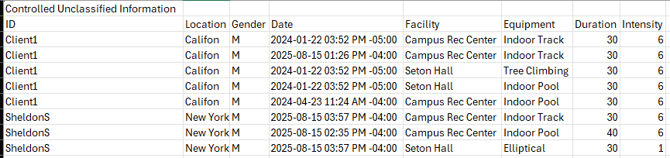
Note: If the facility does not have Prompt for Equipment Area Minutes enabled, the Duration is set to 30.
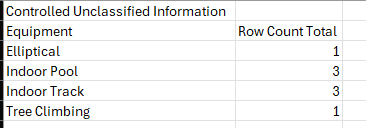
If you just want a count of how many times users checked in with each equipment area, you can modify the template with the following changes:
- Remove the Demographics source.
- Remove all fields except for Equipment. (You can also include the Facility field if you want to see the breakdown per facility.)
- Turn on Include Summary Options on the Fields page.