
You may have noticed a "Create Association Token" button on a few different pages while setting up your site.
An "Association Token" is a string of letters and numbers that ties back to a unique record in the staff interface. This token can then be copied and pasted on a different page, creating a link between two specific records.
Where can I create an association token?
Here are the pages where you can create an association token, as well as where they can be used:
- Document Types- You can create an association token for each unique document type. This token can be used to map a specific document type to the Document Upload achievement type.
- Surveys- You can create an association token for each unique survey. This token can be used to map a specific survey to the Surveys achievement type, or as a filter in Analytics when running a query with the Surveys source.
- Workout Builder- You can create an association token for each unique Workout Program, as well as each unique Workout. This token can be used to map a specific workout program or workout to Workout Program Completion or Workouts achievement types.
- Event Management (Calendar)- You can create an association token for each unique event, as well as each unique Time Slot. This token can be used to map a specific event or time slot to the Event Attendance achievement type.
- Challenges- You can create an association token for each unique challenge. This token can be used as a filter in Analytics when running a query with Challenge-related sources.
- Achievement Program- You can create an association token for each unique program on the Display page. This token can be used as a filter in Analytics when running a query with Achievement Program-related sources.
- Frequently Asked Questions (FAQs)- You can create an association token for each unique FAQ Page (on the Content page in the Participant Display menu). This token can be used to map a specific FAQ page to any achievement type.
- Volunteering Types- You can create an association token for each unique Volunteering Type. This token can be used to map a specific volunteering type with the Days of Volunteering and Volunteering Hours achievements.
- Reflection Journal- You can create an association token for each unique Reflection Journal, as well as each unique Journal Prompt. This token can be used to map a specific reflection journal or prompt to the Days of Reflection and Reflections achievement types.
If you do not have one or more of the above features on your site and are interested in learning more, reach out to your account manager!
How do I create an Association Token?
If you haven't already created an association token for a record, you can generate one by clicking the Create Association Token button. This will replace the button with a field that has a unique string of letters and numbers.
There is a clipboard icon to the right of the string that copies the token for you when clicked.

How do I add an Association Token to an achievement type?
Once you have copied an association token, you can paste it to a valid achievement type in the Association Token text box.
Some achievements will not have an Association Token field, meaning they cannot be associated with a specific record.
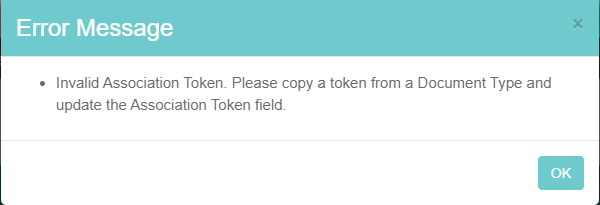
If you try to associate the wrong record type with an achievement type (ex. you paste a Survey token for the Document Upload achievement), the achievement will not save until you remove the token or paste a valid token.
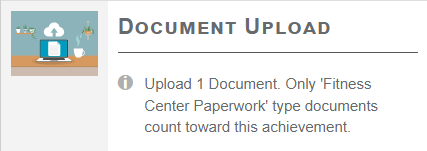
Once you paste a valid token and save, the description for the achievement type is updated to specify which record is mapped to the achievement. Below is an example of the Document Upload achievement with the name of the specific Document Type that is mapped to the achievement type.
What does an Association Token do to an achievement type?
Adding an association token to an achievement type creates a link between the achievement and the specific record the token came from. This means that the achievement can only be earned by interacting with that specific record.
For example, if you add the association token for the "Kickboxing Class" event to the Event Attendance achievement type, users cannot earn credit towards that achievement type by attending any event besides the "Kickboxing Class" event.
You can remove a token by clicking the X icon to the right of the field.
How do I add a FAQ Association Token to an achievement type?
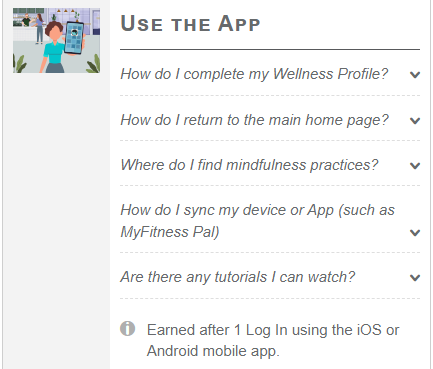
Once you have a FAQ Page token copied, you can click Add New to the right of the FAQ Page Associations field on any achievement type and paste the token.

Once you paste a token, the Add New button appears again so you can associate multiple FAQ Pages to the achievement if needed.

You can remove a token by clicking the X icon to the right of the field.
Once you save the achievement with the FAQ Page token, all of the questions associated with that FAQ Page are displayed for that achievement.
How do I use an association token in Analytics?
When building a new query, you can add an association token for an Achievement Program, Challenge, or Survey on the Filters page by clicking Add Filter, then selecting "Program Association Token" from the Field menu and pasting the token into the Value field.
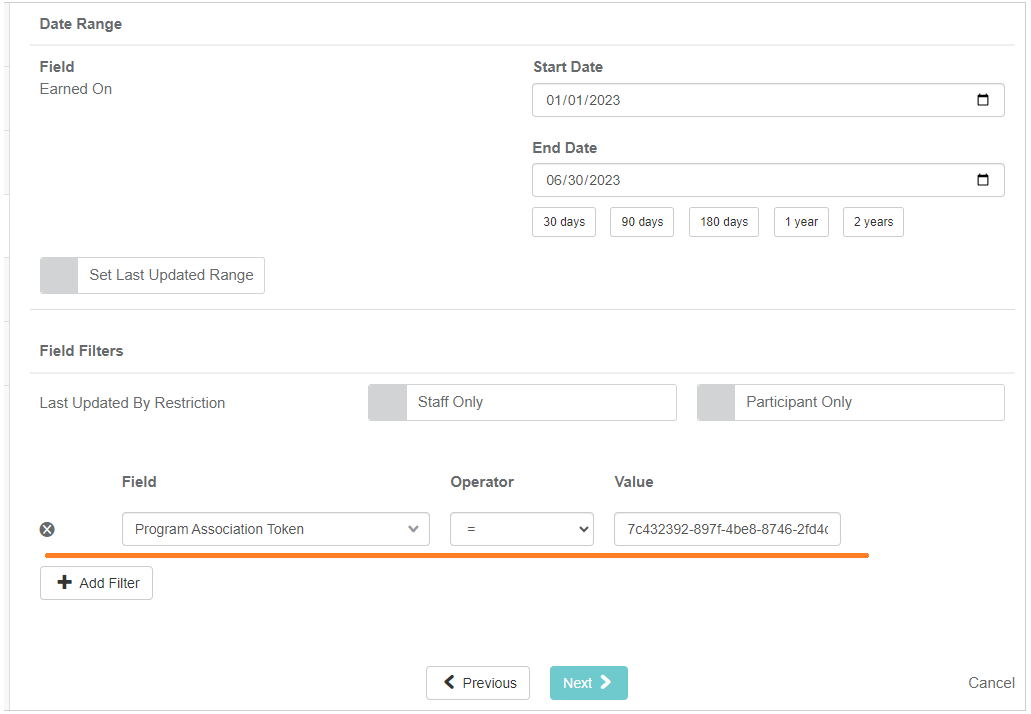
This will limit the query results to only results that are associated with the achievement program, challenge, or survey that the token was copied from.