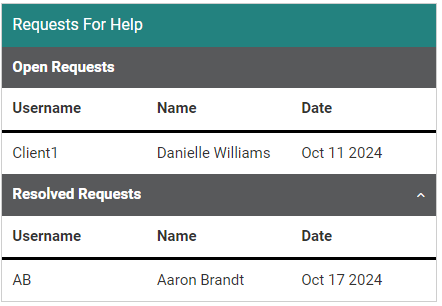
On the Communications page in the staff interface, there may be a section in the middle of the page called Requests For Help.
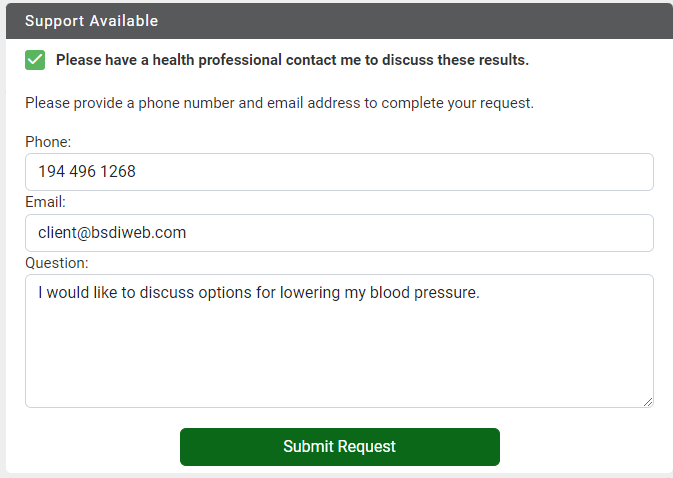
This is tied to a setting the Wellness Profile that shows/hides a Support Available field on the results page after a member completes the Wellness Profile.
 On the Config page, select Configurations, then select the Location or Employee Type Specific tab and select the Wellness Profile tile.
The Location Or Employee Type Specific tab may be called something different on your site, but this is referring to the tab second from the left on the Configurations page.
From here, select a configuration row. The Allow Coaching Request on Results Page setting is available from here.
When this setting is turned off, members will not see the Support Available field on the Wellness Profile Results page.
When this setting is turned on, an additional setting called Staff Email Address Where Coaching Request Is Sent will appear.
 The email address you enter here is where the requests will be sent outside of Motivation Alliance, but the requests can also be viewed from the Communication page.
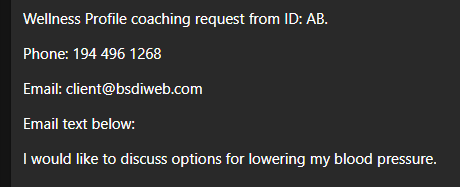
Once a request is submitted from the Wellness Profile Results page, the email configured above will receive a notification that looks like this:
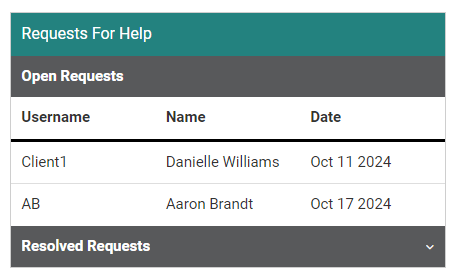
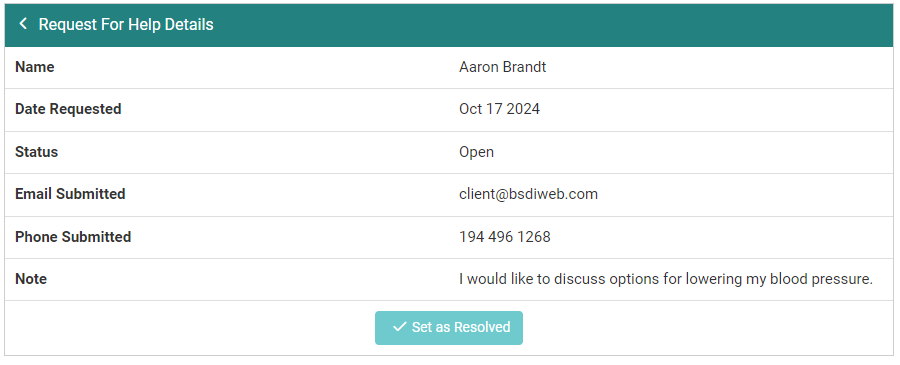
Coming back to the Communication page, you can select a row from the Requests For Help section to view the request details, as well as mark the request as Resolved when appropriate.
Complete requests can be viewed if you expand the Resolved Requests section.