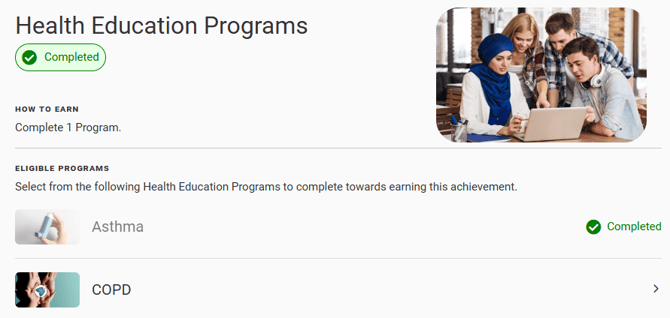
Some achievement types are earned by completing the required number of items (ex. Health Education Programs or appointments) during the achievement program. You can leave it up to users to select which of the programs/appointment types they want to complete to earn achievement credit, or you can select one or more specific items that count towards the achievement.
The following Achievement Types currently offer the Specific Items workflow:
- Appointments
- Health Education Programs
- Helpful Resources
- Questionnaire Sections
The rest of this article will walk through how to configure Specific Items with the Health Education Programs achievement.
To select specific programs that are eligible for the achievement, you can click Add Specific Health Education Programs.
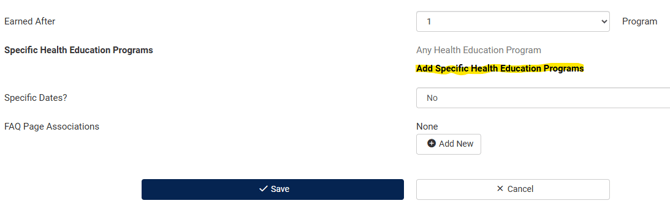 This will bring up a box where you can select education programs to tie to the achievement.
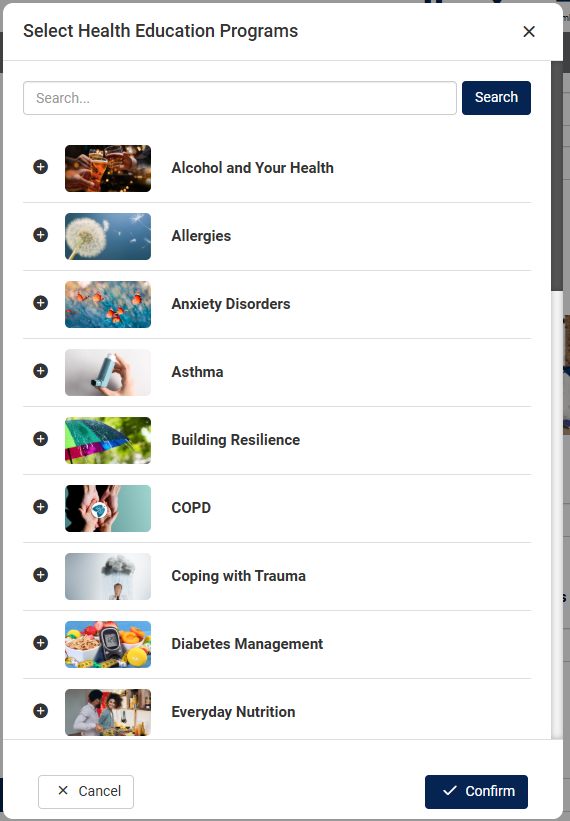
After programs are selected they are previewed on the page. You can edit the selections or add more by clicking Edit Health Education Programs.
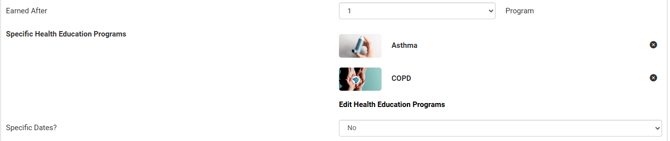
You can select one specific program to limit it to only that program counting towards the achievement, or select multiple programs.
Selecting multiple programs allows you to do one of two setups:
- The number of available programs matches the Earned After number required to complete the achievement. (Ex. COPD and Asthma are selected, and the achievement is earned after completing two education programs. No other programs will count towards the achievement.)
- The number of available programs is greater than the Earned After number, so users can pick which programs from the list to complete for the achievement. (Ex. 5 Health Education Programs are selected and the achievement is earned after completing 3 programs. Users can select any 3 from the 5 offered for this achievement, and no other programs will count towards the achievement.)
When members view the achievement program, they will see a View eligible programs link for the achievement.

Clicking this link will show more detail about the Health Education Programs that count towards the achievement. 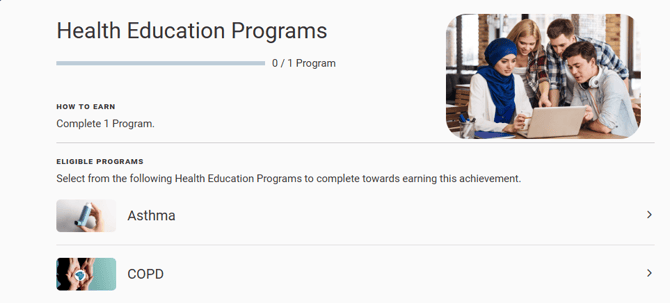
Selecting one of the program tiles will take the user to the Health Education Programs page. If the user has no program currently running, they will receive this prompt:
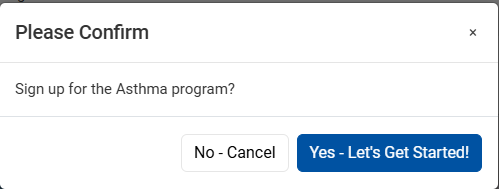
If the user has another program in progress, they will receive a prompt letting them know the active program will be canceled to start the one selected from the achievement:
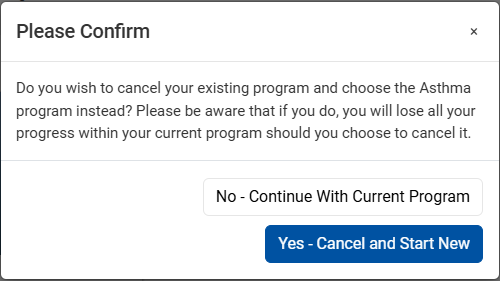
Once the program has been completed, the achievement will reflect this.