
Once you have selected a Participant, Appointment Type, and Staff Profile while scheduling an appointment, the Set recurring schedule link will appear under the date selection tool.
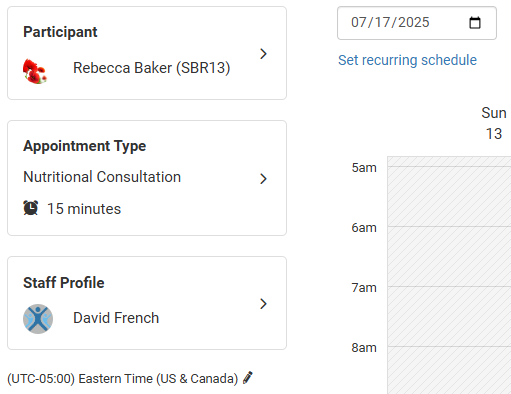
This link leads to a pop-up where you can configure a recurring appointment. All instances of the appointment will share the same start time.
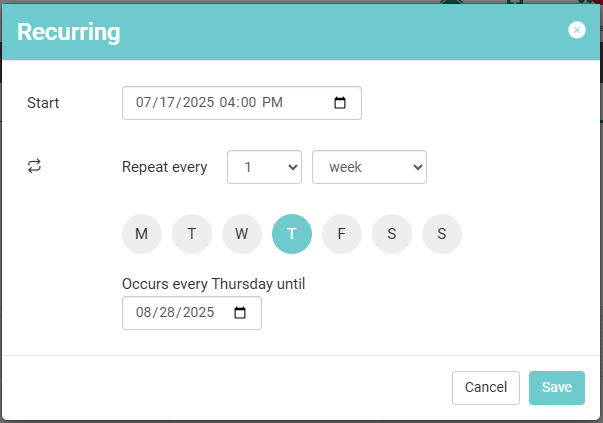
Start Date and Time
The appointment series defaults to starting on today's date at the next hour. You can manually type the date and time to update it, or select the calendar icon to the right of the date and time. This will expand a calendar and time tool.
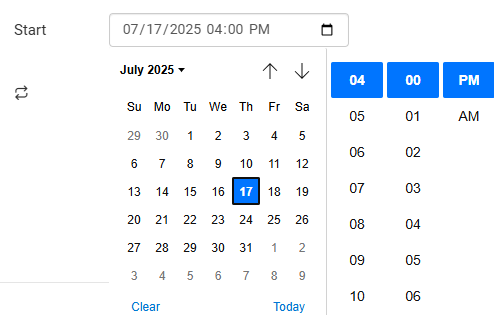
Repeat Settings
There are three options for selecting how often the appointment repeats: day, week, and month.
Day
Appointments are added to the calendar depending on the days interval used.
If the interval is 1 day the appointment will be scheduled every day from the start date to the end date.
If the interval is larger than 1, the appointment will be added to the calendar on the start date, then the next appointment will occur that number of days after the first, and so on.
Example
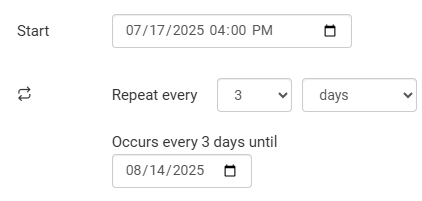
When an appointment repeats every 3 days starting on July 17, the next three appointments will occur on July 20, July 23, and July 26. This will continue until the end date of August 14.
Week
Appointments are scheduled on the selected day(s) of the week depending on the week interval used. You can select one or multiple days to repeat the appointment on.
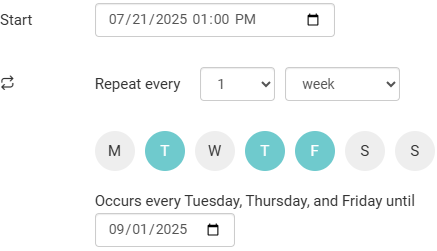
If the interval is 1 week the appointments will be scheduled on the same days every week until the end date.
If the interval is larger than 1, the appointments will be added during the week of the Start date on the selected days, then weeks will be skipped depending on the interval. After the specified number of weeks has passed, the appointments will be scheduled again on the selected day(s) of the next week.
Example
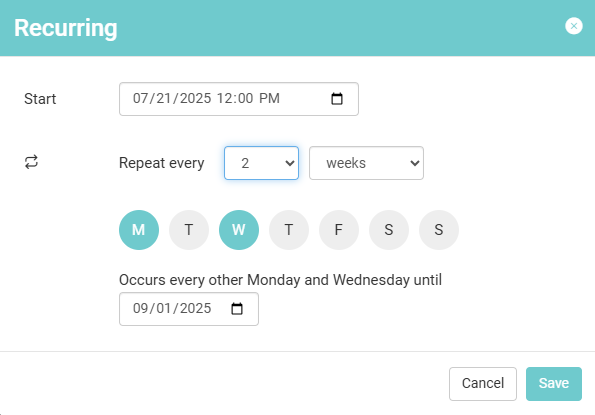
When appointments repeat every 2 weeks on Monday and Wednesday from 7/21/25 to 9/1/25, the appointments will be scheduled on the following dates:
July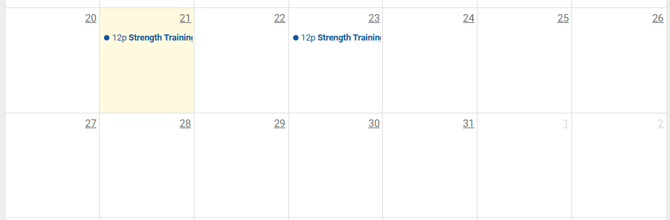
August/September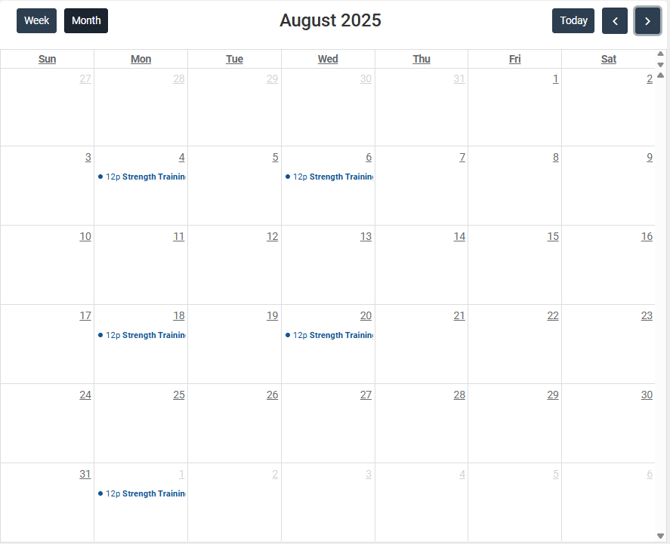
Month
Appointments are scheduled to occur each month if 1 is the value. If the value is 2 or more, the appointment will be added after the specified number of months has passed.
There are two options when creating an appointment that repeats monthly:
If you select "On day (number)" the appointment will be added on the same day of the month each month. This means that the appointments will not all fall on the same day of the week.
Example
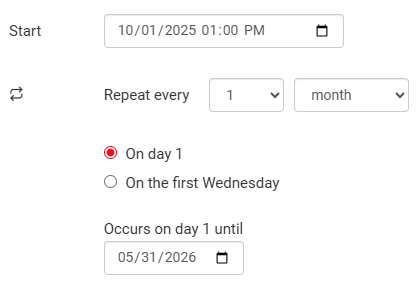
If you schedule an appointment to repeat on day 1 from 10/1/25 to 5/31/26, an appointment will be added on the first day of each month resulting in 8 appointments added.
If you select "On the (week number) (day of week)" the appointment will be added around the same time each month, though not necessarily on the same date.
Example
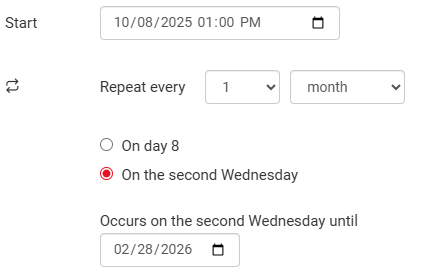
The first appointment occurs on 10/8/25, which is the second Wednesday of the month. The rest of the appointments will occur on the second Wednesday of each month from November 2025 to February 2026:
- November 12
- December 10
- January 14
- February 11